ISM-1685: Passwords for Admin and Service Accounts
Reviewed by Greg Tereszczyn on 4 October 2026 against ISM 2026.09.4
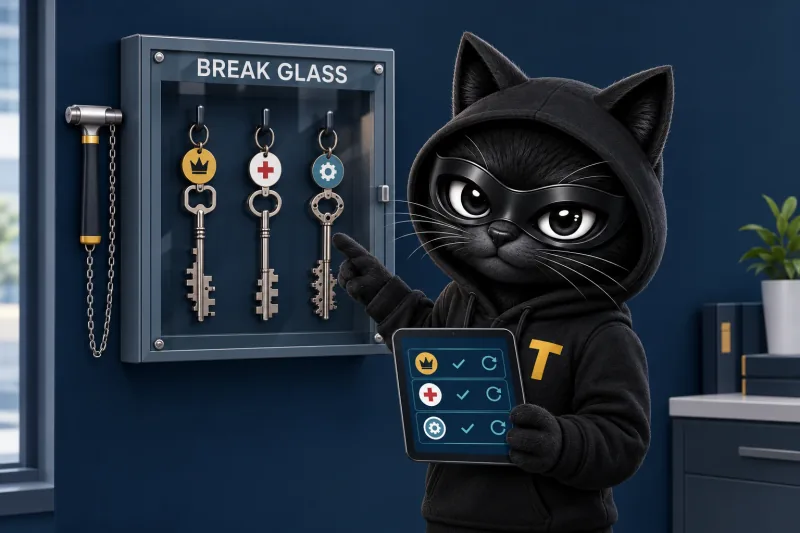
Credentials for break glass accounts, local administrator accounts and service accounts are long, unique, unpredictable and managed.
ISM-1685, Information Security Manual, Australian Signals Directorate. ISM text © Commonwealth of Australia, CC BY 4.0, via cyber.gov.au.
- Where it sits
- Guidelines for system access › Credential management › Setting credentials for built-in Administrator accounts, break glass accounts, local administrator accounts and service accounts
- Applies to
- Non-classified, OFFICIAL: Sensitive, PROTECTED, SECRET, TOP SECRET
- Essential Eight
- Maturity Levels 2 and 3
- ASD revision
- Revision 2, June 2023. Checked against ISM 2026.09.4.
At least 30 random characters
For break glass, local administrator and service accounts (ISM-1795, ISM-1954).
A different one everywhere
No two accounts or devices share a credential, so one stolen password opens nothing else.
Held and changed by a tool
Stored, rotated and logged by a tool, not remembered by a person.
On this page
ISM-1685 asks organisations to protect their most powerful accounts properly: the break glass accounts kept for emergencies, the local administrator account on every computer and server, and the service accounts that applications run under. Their credentials must be long, unique, unpredictable and managed, which in practice means at least 30 random characters, a different credential for every account and device, and a tool that stores and changes them rather than a person who remembers them. It is part of the Essential Eight at Maturity Levels Two and Three.
#What does ISM-1685 require?
The control covers three kinds of account that nobody should be using day to day:
- Break glass accounts, also called emergency access accounts: accounts with the highest privileges, kept for the moment normal sign-in stops working.
- Local administrator accounts: the administrator account built into each workstation and server.
- Service accounts: accounts that applications, services and scheduled tasks use to run, rather than people.
For each of them, the credential has to be:
- Long. ISM-1795 sets a minimum of 30 characters.
- Unique. No two accounts or devices share it. The classic failure is one local administrator password used on every laptop in the business.
- Unpredictable. ISM-1954 says these credentials are randomly generated, so nothing like a company name followed by the year.
- Managed. Stored somewhere controlled, changed on a schedule and after use, with a record of who has seen it.
ISM-1953 asks the same for the built-in Administrator account in each domain, and ISM-1619 asks that service accounts be created as group Managed Service Accounts, where Windows looks after the password itself. The control applies at every classification ASD marks, from non-classified systems to TOP SECRET. In ASD's Essential Eight Maturity Model it sits under "Restrict administrative privileges" at Maturity Levels Two and Three, so it is part of any Essential Eight assessment at those levels.
These are not passwords a person types every morning. For the passwords people do have to remember, the advice is long passphrases and no complexity rules, as our ISM-2080 guide explains. The credentials in ISM-1685 are meant to be held by a tool, so making them 30 random characters costs nobody any effort.
#Why does it matter?
ASD puts the risk plainly: when these accounts "use common usernames or weak credentials, it may allow malicious actors that compromise credentials on one workstation or server to compromise other workstations and servers." An attacker who takes over one laptop recovers its local administrator password, or the hash of it, and if that password is the same everywhere, every other computer opens with it. Microsoft makes the same point in its documentation for Windows LAPS: "Local administrator accounts often share the same password across many devices, which bad actors can exploit to move laterally across your environment" (Microsoft).
Service accounts have their own weaknesses. They are often set up once, years ago, with broad permissions and a password nobody wants to change in case something stops working. Their passwords end up in scripts, configuration files and handover notes, and because no person signs in with them, they are easy to leave out of multi-factor authentication and monitoring.
Break glass accounts are the keys to everything. If the credential is weak or widely known, it is a skeleton key for anyone who learns it; if it is lost, the organisation is locked out at exactly the moment it needs to get in. ASD's guidance on emergency access says these accounts "have the highest level of privileges available" and that "extreme care should be taken to protect them".
#How does it fit with the other controls?
ISM-1685 states the outcome; the controls around it say how:
- ISM-1795: at least 30 characters for all four kinds of account, including the built-in Administrator.
- ISM-1954: the credentials are randomly generated.
- ISM-1953: the built-in Administrator account in each domain gets the same treatment.
- ISM-1619: service accounts are created as group Managed Service Accounts, so the operating system manages the password. Where that is not possible, ASD's guidance is still a unique, unpredictable, random credential of at least 30 characters.
- ISM-1614: a break glass account's credential is changed by its custodian after anyone else has accessed it.
- ISM-1615: a break glass account is tested after its credential is changed, so it works when it is needed.
ASD's emergency access controls also ask that break glass accounts are used only when normal sign-in cannot be (ISM-1611), only for specific authorised activities (ISM-1612), and that every use is centrally logged (ISM-1613).
#How do you meet ISM-1685?
- Make the inventory. List every break glass account (cloud and on-premises), every device's local administrator account, and every service account, including scheduled tasks, application integrations and scripts. Note who currently knows each credential.
- Give every device its own local administrator password. Use a local administrator password management tool that sets a different random password on each device, changes it regularly and stores it centrally, with a record of who retrieved it.
- Let the operating system manage service account passwords where it can. In Windows Server environments that means group Managed Service Accounts (ISM-1619). Where that is not possible, generate at least 30 random characters, keep the credential in a secrets vault and change it on a schedule. Take passwords out of scripts and configuration files; the September 2026 ISM release added controls on exactly that (ISM-2141 to ISM-2146).
- Set up break glass accounts deliberately. Keep at least two, give each a long random credential held by a named custodian, alert on every sign-in, change the credential after anyone else uses it (ISM-1614) and test the account afterwards (ISM-1615).
- Treat the built-in domain Administrator the same way (ISM-1953).
- Change credentials on events as well as on a schedule: after any use of a break glass account, when someone who knew a credential leaves, and whenever compromise is suspected.
- Write it down. A short standard for these accounts, the custodian register and the rotation records are what an assessor will ask to see.
#What evidence shows ISM-1685 is met?
| Ask | Look at | Good looks like |
|---|---|---|
| Is every local administrator password different? | The local administrator password tool's console, for a sample of devices | Each device has its own password, with a recent change date |
| How long and random are these credentials? | The credential standard and the generator or tool settings | At least 30 random characters (ISM-1795, ISM-1954) |
| Where do service account credentials live? | The secrets vault, managed service accounts in the directory, and a search of scripts and configuration repositories | Managed by the operating system or held in a vault; none in scripts |
| Who knows each break glass credential? | The custodian register and the vault's access log | One named custodian per account; credential changed and the account tested after any other access (ISM-1614, ISM-1615) |
| Is every use noticed? | Alerts for break glass and local administrator sign-ins | Every use raises an alert that someone reviews |
| When were they last changed? | Rotation history | Within the written standard, and after every use or staff change |
#What gets in the way?
Legacy services and vendor installs. Old applications sometimes run under a service account whose password is set in several places, and nobody is sure what will break if it changes. Some vendor-installed software ships with a fixed password. These go on an exceptions register with a plan, tighter permissions and monitoring, rather than being left alone.
"Everyone in IT knows the admin password." Shared knowledge feels convenient until someone leaves or an attacker reads the same notes. Moving to per-device passwords that are retrieved, logged and then changed removes the problem without slowing anyone down.
Managed service providers. Many organisations depend on a provider who may use the same administrator password across a customer's devices, or across customers. Ask how your provider sets and stores these credentials, and ask for the evidence in the table above.
Smaller and larger organisations. A smaller organisation usually has one cloud identity platform, tens of devices and a handful of service accounts: the change is mostly turning on a tool it already has and changing habits, its provider's included. A larger one has several directories, hundreds or thousands of service accounts and applications that cannot be changed quickly, so the work is an inventory, a privileged access programme and careful change management.
The business case. The cost is mostly time. The tools are often already in hand: Windows LAPS, for example, is a feature built into Windows. What the work buys is that one compromised computer no longer opens the rest of the network.
#What tools and skills help?
- A local administrator password management tool, which gives each device its own password and rotates it. Microsoft documents Windows LAPS, which "automatically manages and backs up the password of a local administrator account" on devices joined to Microsoft Entra ID or Active Directory (Microsoft).
- Service accounts the operating system manages. Microsoft's group Managed Service Accounts let "Windows handle password management for these accounts" (Microsoft).
- A secrets vault or privileged access management platform, which generates, stores and changes credentials for service and administrator accounts and records every access.
- A password manager for custodians. ASD notes that "modern password managers that support automated credential changes can assist" with changing break glass credentials after use.
- Alerting on sign-ins for break glass and local administrator accounts, from the identity platform or a security monitoring service. For its cloud, Microsoft recommends two or more emergency access accounts, alerts on their use and checking that they work "at least every 90 days" (Microsoft).
- Skills to find every service account and hardcoded credential, change them without breaking applications, and write a standard that matches what the tools do.
Which of your current licences already provide these? The free coverage check shows which ISM and Essential Eight controls the products you already pay for can reach, in about three minutes. To see ISM-1685 among the other credential controls, open it in our sample coverage report, or read what an ISM assessment involves.
#What changed in recent ISM releases?
ISM-1685 itself is not new: ASD's catalogue records it at revision 2, last updated in June 2023. In the September 2026 release it moved, with the rest of the credential controls, from "Guidelines for system hardening › Authentication hardening" to "Guidelines for system access › Credential management", with its wording unchanged. Two of its companions are more recent: ISM-1953 and ISM-1954 were added in September 2024, and ISM-1795, the 30-character minimum, was last revised in that release. Our ISM September 2026 summary covers the rest of the latest release.
#Sources
- ASD, Information security manual: ISM-1685, the credential and emergency access controls, and the section guidance quoted on this page
- ASD, Essential Eight Maturity Model: Restrict administrative privileges, Maturity Levels Two and Three
- Microsoft, Windows LAPS overview
- Microsoft, Group Managed Service Accounts overview
- Microsoft, Manage emergency access accounts in Microsoft Entra ID
Which of your licences already cover this?
The free coverage check shows which ISM and Essential Eight controls the products you already pay for can reach, in about three minutes. For a structured look at your own environment, an ISM assessment maps your controls and the evidence that proves them.
More ISM controls explained
- ISM-1648: Disable Idle Admin Access After 45 Days →
ISM-1648 says privileged access is disabled after 45 days without use. What counts as inactive, how to automate it, the exceptions and evidence to keep.
- ISM-0428: Lock Idle Sessions After 15 Minutes →
ISM-0428 says online services lock after 15 idle minutes or 12 hours in all, and unlock only with every factor. What that means and the evidence to keep.
- ISM-2080: Why Password Complexity Rules Are Out →
ASD's ISM-2080 says not to impose password complexity rules. What it means, why length and banned-password checks work better, and the evidence to keep.
- ISM-2121: Security Skills for Software Developers →
ISM-2121 says developers without the security skills a task needs are not used for it. What that means for staff, contractors and AI, and the evidence.
Written by
Greg Tereszczyn
Greg Tereszczyn is the founder and principal consultant of TERESEC, an Australian cyber security consultancy for small and medium business. He turns the Essential Eight, the ISM, ISO/IEC 27001, NIST CSF and IEC 62443 into plain-English advice a business can act on.